Looma in-room device

All of Quiltt on one simple screen in every resident's room.

Looma is a dedicated Android tablet that comes set up with Quiltt and nothing else. Residents can see the day's schedule, keep up with family, check their activity and play Brain Games. There are no app stores, passwords or confusing menus.

$149 device $10/mo service
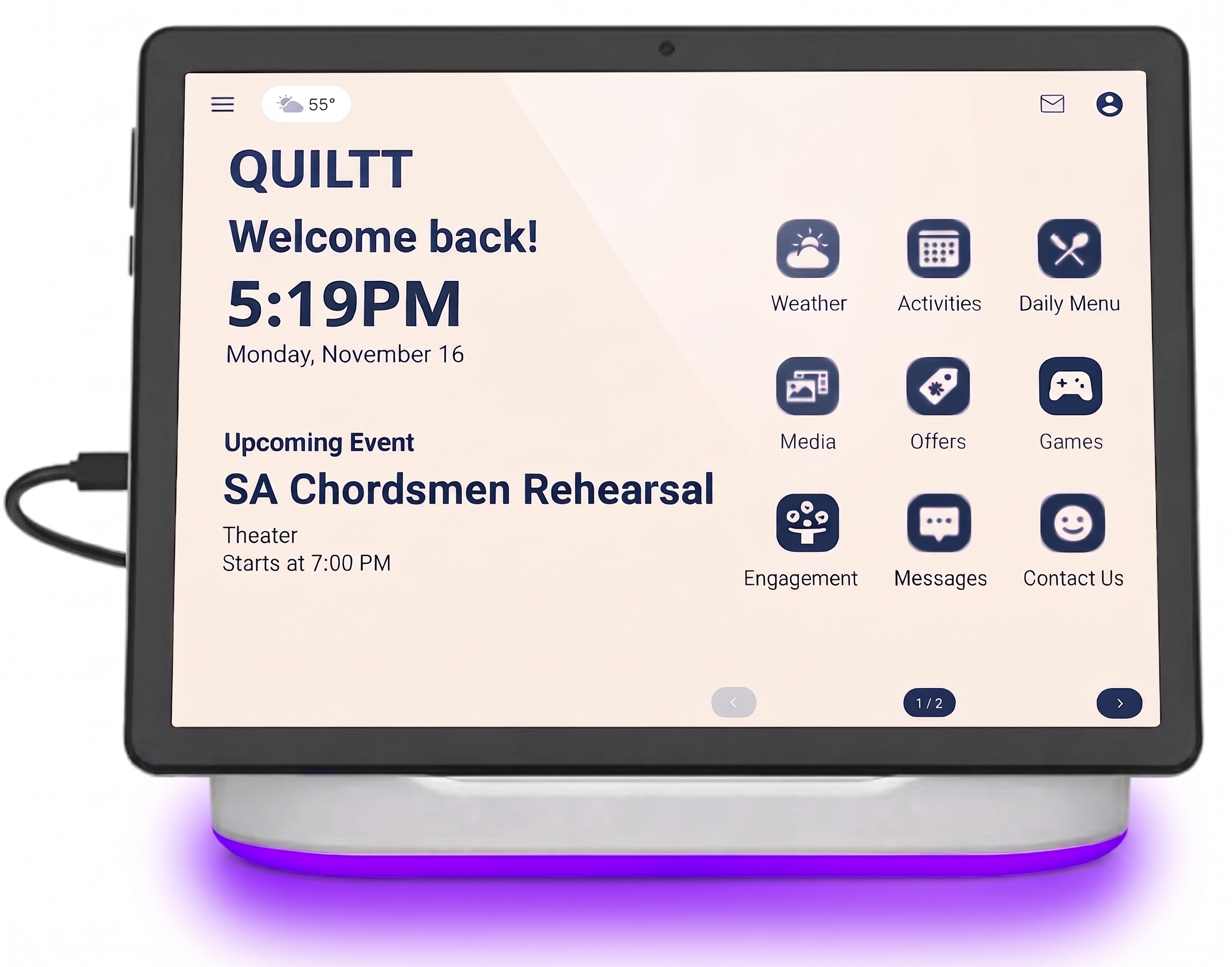
Looma Desk display with a glowing purple light ring, showing the Quiltt home screen
What residents get

Everything Quiltt does, on a device that's ready to go

Looma turns on straight into Quiltt. Residents get the same features your community already uses, on a screen made for them.

Daily schedule & events

Residents can see today's activities, menus and community announcements as soon as they look at the screen.

Family & care team

Messages, photos and updates from family and staff all come to one place, with no phone number or email account needed.

My activity

Residents using Quiltt Safety devices can see their own activity, such as movement, sleep and daily routines, in a clear, friendly view.

Quiltt Brain Games

Puzzles, trivia and memory games keep minds active, and they're included with every Looma. See the games

Big, clear and easy

The 10.1" screen has large text and simple buttons, and the tablet charges on its stand so it's always ready.

Private & secure

Each Looma is tied to its resident's Quiltt account, so the right people see the right information.

Fully managed

Just what residents need, and nothing they don't

Looma runs in a locked-down mode that Quiltt manages for you. Residents can't install random apps, change settings by accident or end up somewhere they shouldn't. Your staff never has to be IT support.

  • Approved apps onlyThere's no app store. Residents see Quiltt and the tools your community chooses.
  • Automatic updatesSoftware and content update overnight, remotely, with no visits to residents' rooms.
  • Remote setup & supportDevices arrive ready to assign to a resident. Our team can troubleshoot remotely.
  • Easy to reassignWhen a room turns over, reset the Looma and assign it to the next resident.
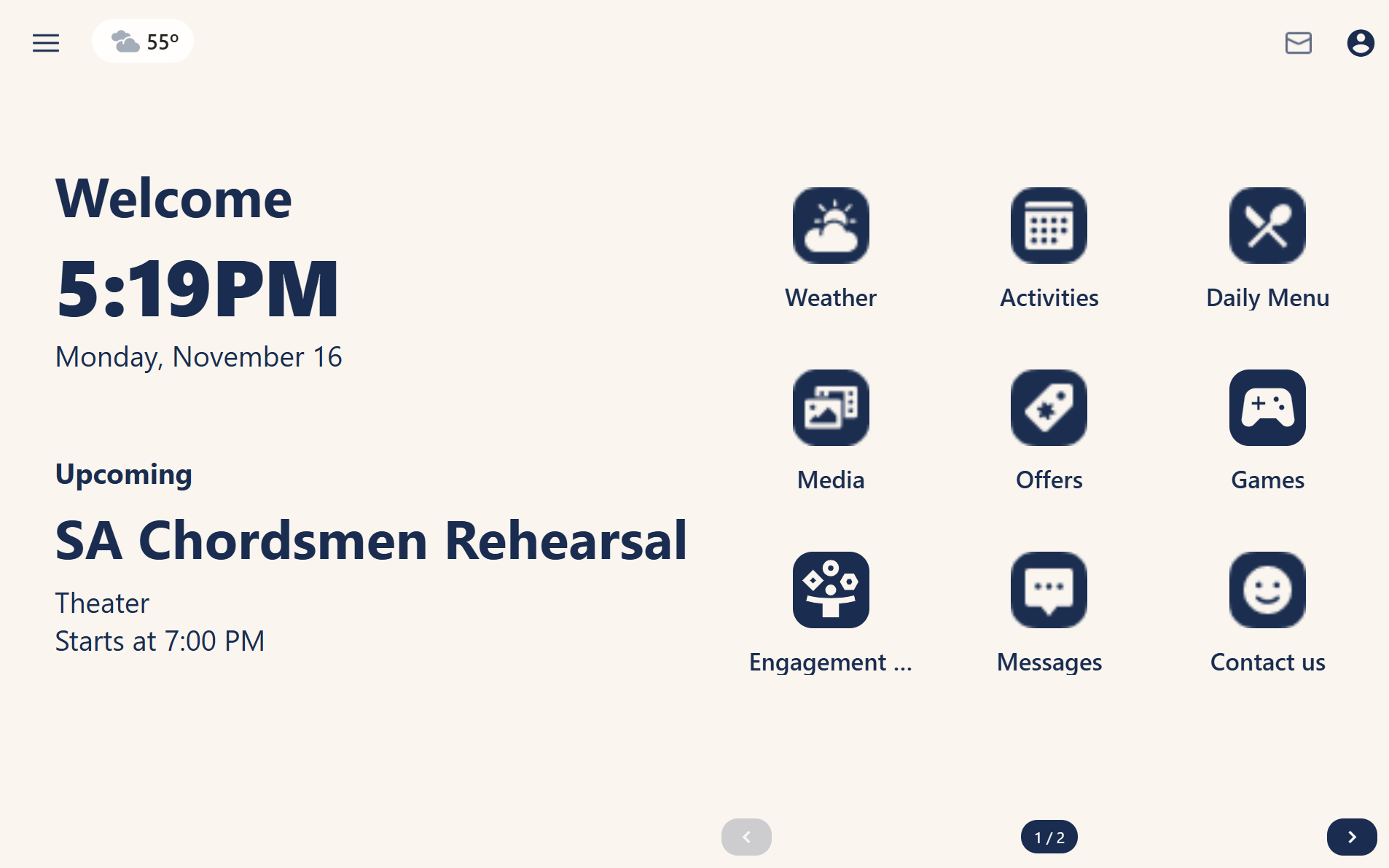
The Looma home screen as residents see it, with Quiltt tiles for their day
Two ways to Looma

Pick the model that fits your rooms

Both models run the same managed Quiltt experience and have the same price.

Looma Dock: a 10.1 inch tablet on its charging dock with a purple glowing base, showing the Quiltt home screen
Looma Dock

Tablet with charging dock

A light, portable tablet that charges on its dock. Residents can take it off the dock and use it in a chair or in bed, then put it back to charge.

Display10.1" HD touchscreen, 1280 × 800
Operating systemAndroid 16 with Quiltt managed mode
Processor8-core
Storage64 GB (expandable to 1 TB via microSD)
WirelessWi-Fi 6, Bluetooth 5.4
PowerCharges while docked
Best forResidents who want to pick it up and use it around the room
Looma Desk: a 10.1 inch desktop display on an angled stand with a purple light ring around the screen
Looma Desk

Desktop display with light ring

A sturdy display that stays in one place on a nightstand or desk. The glowing ring can signal a new message or a reminder from across the room.

Display10.1" IPS touchscreen, 1280 × 800
Operating systemAndroid with Quiltt managed mode
ProcessorQuad-core (Rockchip)
ConnectivityWi-Fi, Bluetooth, Ethernet (PoE option)
Notification lightBuilt-in LED light ring
PowerAlways on, plugs in or runs on PoE
Best forA fixed, always-visible screen that's hard to misplace
Pricing

Simple, predictable pricing

You pay once for the device and then a low monthly fee for the managed service. Both models cost the same.

$149

One-time, per device

$10/mo

Managed service, per device

Every Looma includes

  • Full Quiltt resident experience
  • Quiltt Brain Games
  • Activity view for Quiltt Safety users
  • Family & care team messaging
  • Locked-down, managed device mode
  • Remote updates & support

Common questions

Can residents download other apps?

No. Looma runs in a managed mode with only Quiltt and the tools your community approves. That keeps it simple for residents and secure for you.

Does a resident need a Quiltt Safety device to use Looma?

No. Looma works for every Quiltt resident. If a resident also uses Quiltt Safety devices, their activity information shows up on their Looma automatically.

What do residents need to set it up?

Nothing. Your team assigns the device to a resident in Quiltt, and it opens to their personal home screen. There are no accounts or passwords for residents to remember.

What are Brain Games?

Quiltt Brain Games is a collection of puzzles, trivia and memory games designed for older adults. It's included with every Looma. Try them here.

What happens when a room turns over?

Reset the Looma from Quiltt and assign it to the next resident. The previous resident's information is removed from the device.

Bring Looma to your community

Find out how Looma works with your Quiltt rollout, and order devices for your residents.